Forums & Mobile App
Your members already talk to each other — give them a proper place to do it, and let them take it with them on their phone.
- Built-in discussion forum for every topic
- Members chat, share updates, and help each other
- Moderation tools keep conversations on track
- Install as a phone app — no app store needed
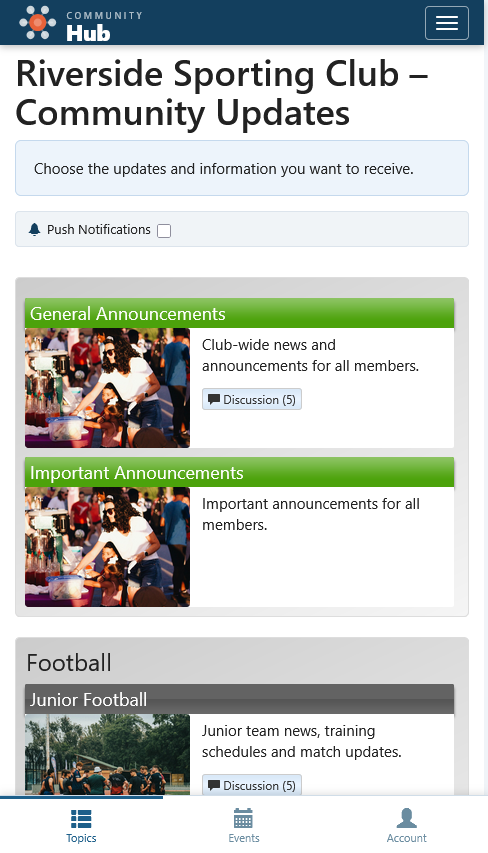
Topics & subscriptions
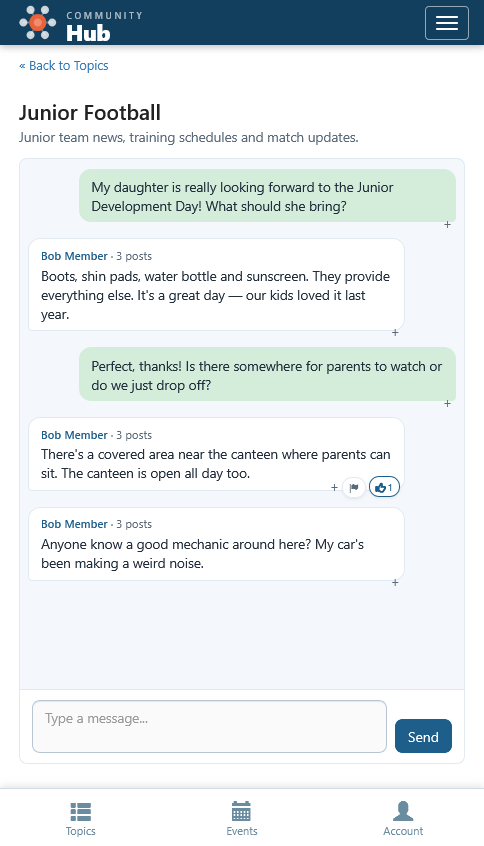
Forum conversations
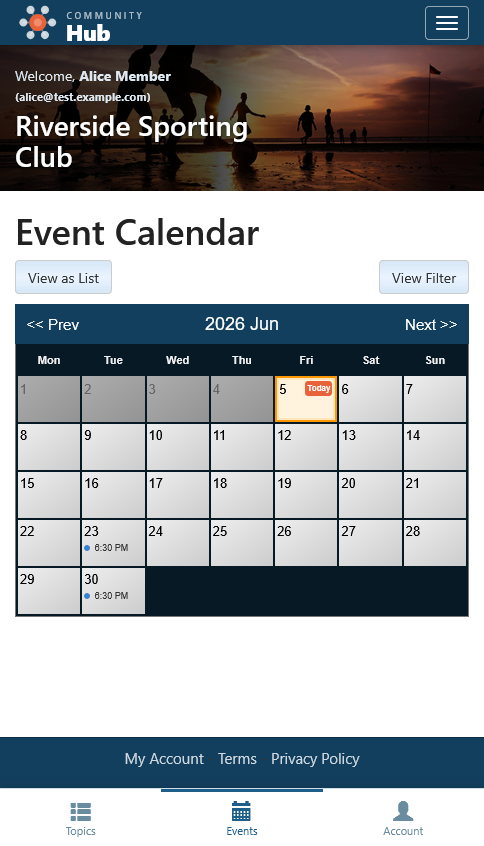
Events & calendar
Discussion forums built into every topic
Each topic in Community Hub can have its own discussion forum. Members who subscribe to a topic can post messages, ask questions, and respond to each other — all without leaving your platform. No separate app or third-party tool required.
Topic-based discussions
Forums are organised by topic, so conversations stay relevant. Members only see forums for the topics they've subscribed to — no noise, no clutter.
Likes and engagement
Members can like posts to show support or agreement. It's a simple way to keep conversations positive and surface useful contributions.
Member flagging
If something's not right, members can flag a post as spam, off-topic, or inappropriate. Flagged posts are highlighted for your team to review.
Moderation tools
Your staff can review flagged posts, remove inappropriate content, post official responses, and temporarily ban members who break the rules. You stay in control.
New post indicators
Members see which forums have new posts since their last visit. No endless scrolling — they go straight to what's new.
Enable per topic
Forums are optional. Turn them on for topics where discussion makes sense and leave them off for announcement-only topics.
A mobile app your members can install instantly
Community Hub works as a Progressive Web App (PWA). Members can add it to their phone's home screen directly from the browser — no app store, no downloads, no updates to manage.
Install from the browser
On Android and iOS, members tap "Add to Home Screen" and get a full-screen app experience. It looks and feels like a native app.
Push notifications
Members receive push notifications for new forum posts and topic news — even when the app isn't open. They never miss an update.
No app store required
No approval process, no store listing, no version management. Members always get the latest version automatically.
Stay logged in
With an extended remember-me session, members stay logged in on their phone. Open the app, and they're straight into their community.