Survey Management
Gather structured feedback from exactly the right people — sent via your existing messaging channels, with no separate login required.
- Public surveys (all members) or private (a specific group)
- Members respond via email or SMS link — no login needed
- One response per member enforced automatically
- Download results as a report at any time
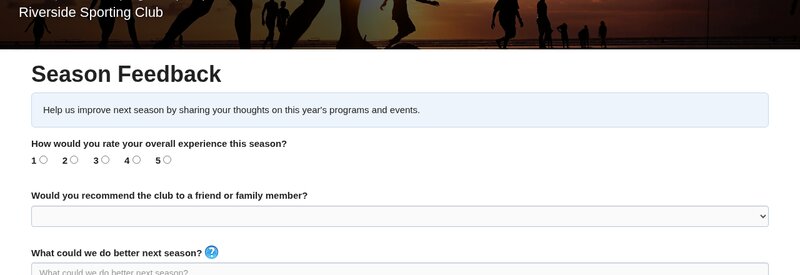
Feedback from the right people, at the right time
Because surveys are built into Community Hub's messaging system, you can target responses precisely — ask only those who attended an event, only members of a specific topic, or open it to everyone. Invitations go out through the messaging system, so members receive them through their preferred channel.
Public & private surveys
Public surveys are open to all members. Private surveys target a specific group — for example, just those who attended last month's event, or members of one topic.
Flexible question types
Build questions using multiple-choice, yes/no, or free-text answers. Add as many questions as you need and set a closing date.
Delivered via messaging
Invitations are sent through Community Hub's messaging system — email, SMS, or voice. Members click a unique link to respond; no separate login required.
Results & reporting
View a live summary in the admin panel, or download the full dataset as a spreadsheet to analyse however you need.